15,000+
Chrome Web Store users

Public user count shown on the Chrome Web Store listing.

4.8/5
185 ratings
Chrome Web Store rating

Public average rating shown on the Chrome Web Store listing.

Chrome + Edge
Browser support

Install links are available for both Chrome and Microsoft Edge.

30-day
Money-back guarantee

Public refund policy shown on the pricing page for paid plans.

Trusted by teams that need clean, secure, repeatable PDFs from Notion

Used by business schools, advisory firms, architecture studios, and product teams that send invoices, contracts, HR documents, and other structured PDFs.

EDHEC Business School logo
ZRG Partners logo
Dewan Architects logo
BlueLabel Labs logo
Netgen logo
Logan logo
Ambient logo
Iota Technology logo
Rocket Science logo
Azusa Sekkei icon AZUSA SEKKEI

Why teams move beyond Notion export and generic PDF tools

The problem usually starts when a team needs better PDF formatting, no-upload handling, or the same document generated more than once.

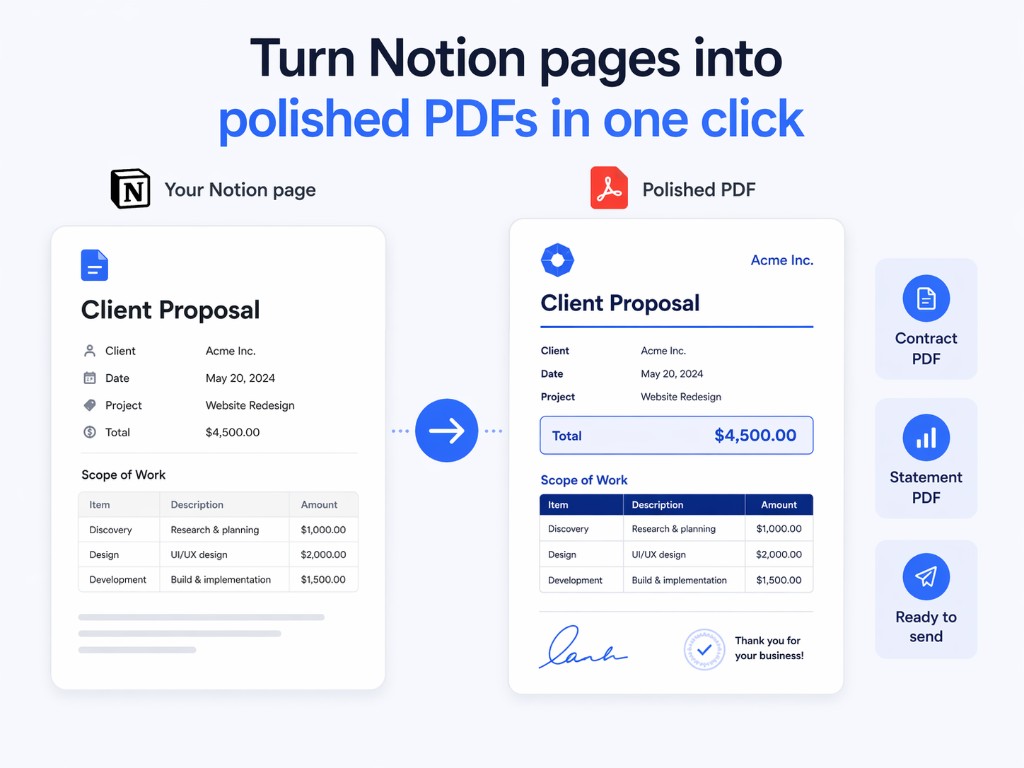
Send a PDF without fixing layout by hand

Teams still lose time cleaning up spacing, tables, and structure before a PDF is ready to send.

Online tools require uploads

That is the wrong tradeoff for invoices, contracts, HR letters, and other documents that should stay in the browser.

Generate 100 invoices from one Notion template

If you recreate the same document for each client, employee, or record, manual export quickly becomes the bottleneck.

How it works

The workflow is simple for a one-off PDF and useful when the same Notion template has to generate multiple documents.

Install Print Notion from Chrome or Edge to start the Notion to PDF workflow
1
Install the extension

Add Print Notion to Chrome or Edge and keep the workflow inside the browser you already use.

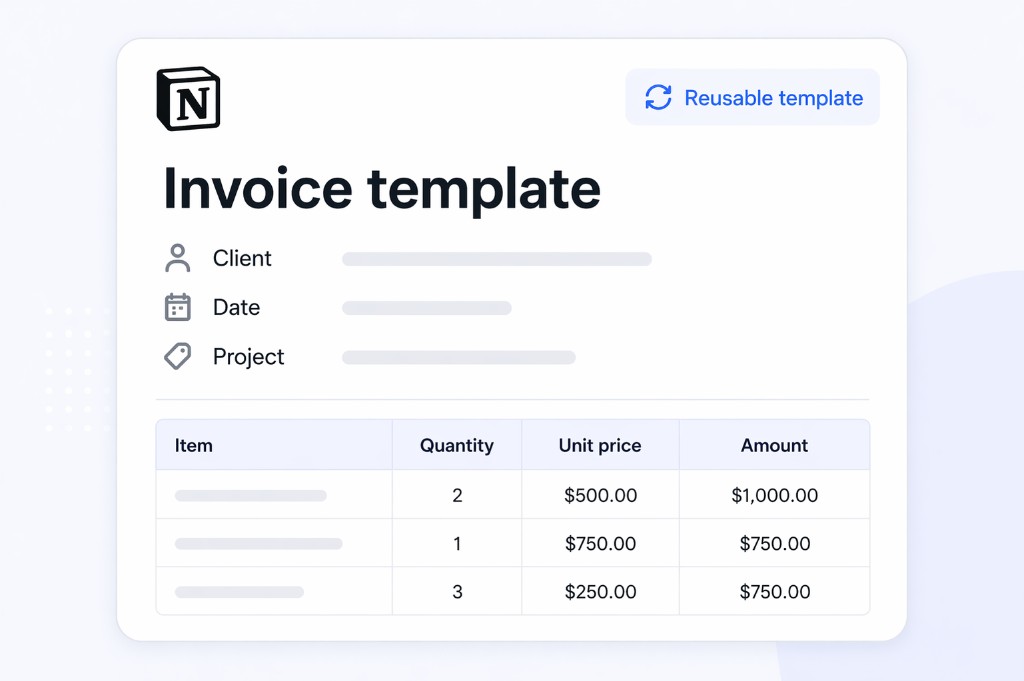
Open a Notion page or reusable Notion template before exporting PDFs
2
Open a Notion page or one template you reuse

Start from one page or use one Notion template connected to the records you want to turn into PDFs.

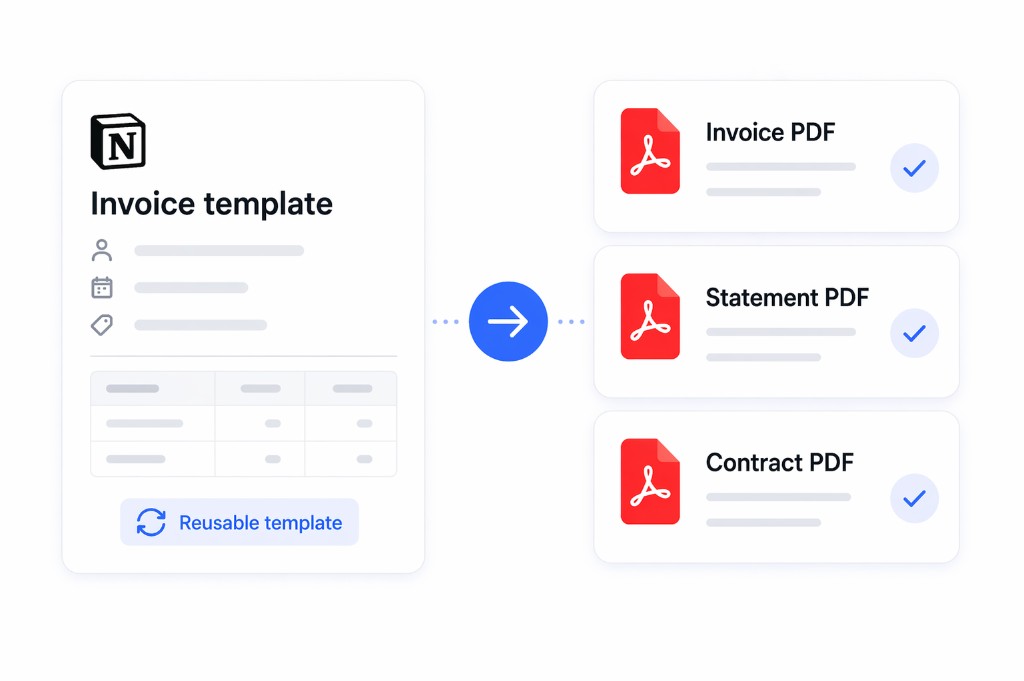
Export one clean PDF or generate multiple PDFs from the same Notion template
3
Create one PDF or generate multiple PDFs

Export one clean PDF or generate multiple PDFs from the same Notion template when the workflow repeats.

Three reasons teams choose Print Notion

The product works best when teams need better PDF formatting, no-upload handling, and repeatable document generation from Notion.

For finance teams

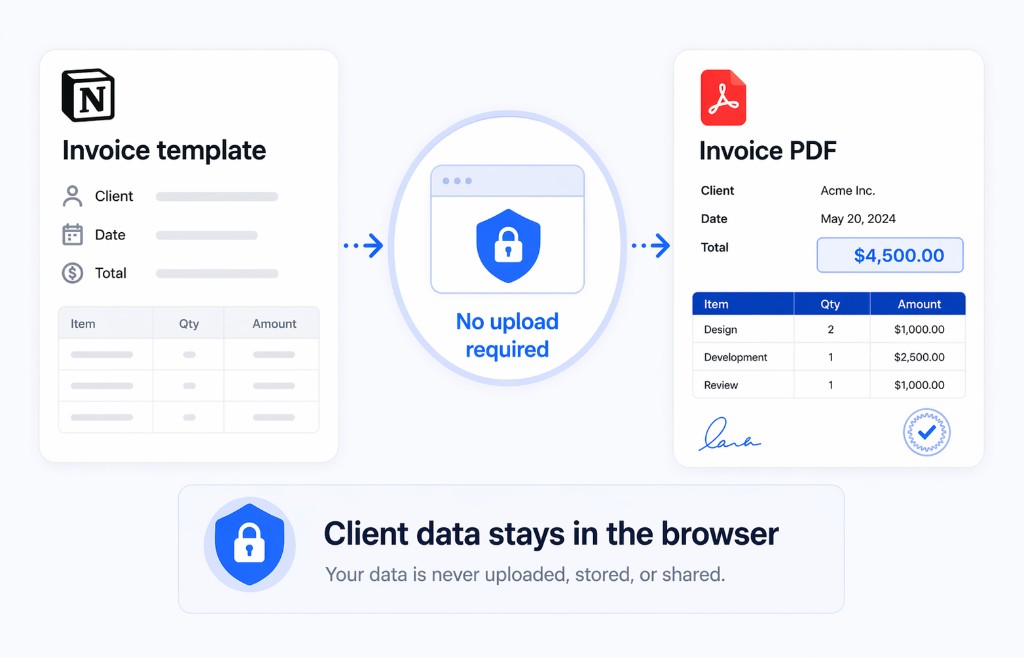
Generate invoices and statements without uploading client data

Use one Notion template for recurring finance documents, keep the workflow inside the browser, and send a PDF without fixing layout by hand each time.

  • Useful for invoices, statements, and billing documents
  • No upload-first step for sensitive client information
  • Generate multiple PDFs when the same format repeats every cycle
Browser-only invoice workflow showing no upload required and a client-ready PDF result
For HR teams

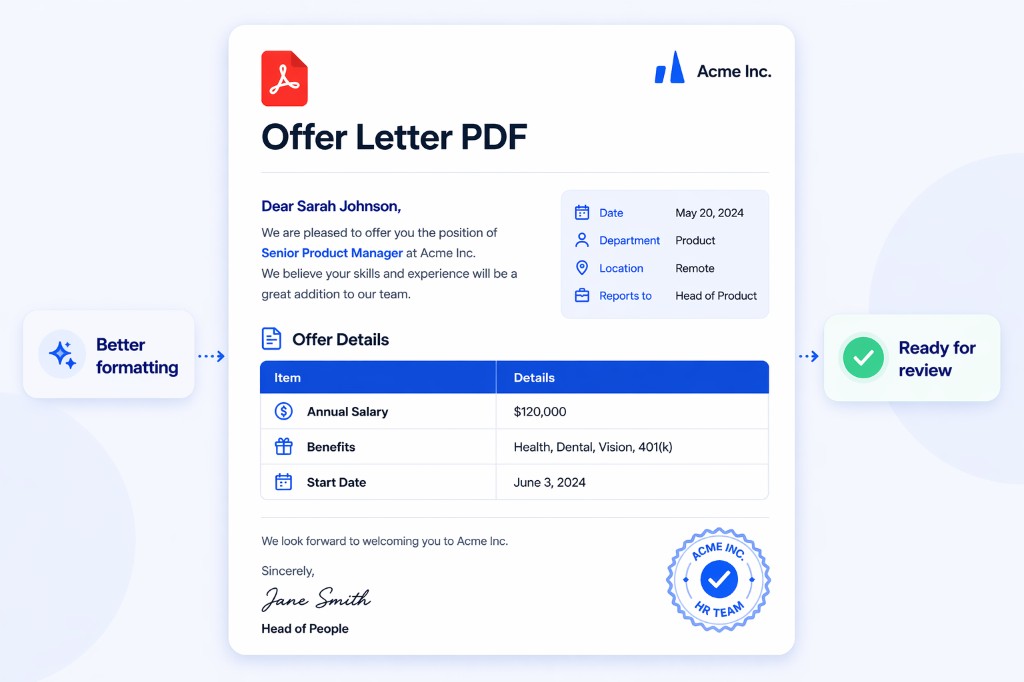
Create offer letters and employee documents without fixing layout by hand

HR teams can turn Notion pages into cleaner PDFs for candidates and employees without reworking spacing, sections, and tables before every export.

  • Useful for offer letters, HR notices, and employee packets
  • Better handling for sections, tables, and PDF layout
  • Less cleanup before a PDF is ready to review or send
Client-ready PDF result with cleaner sections, table layout, and spacing
For operations and legal teams

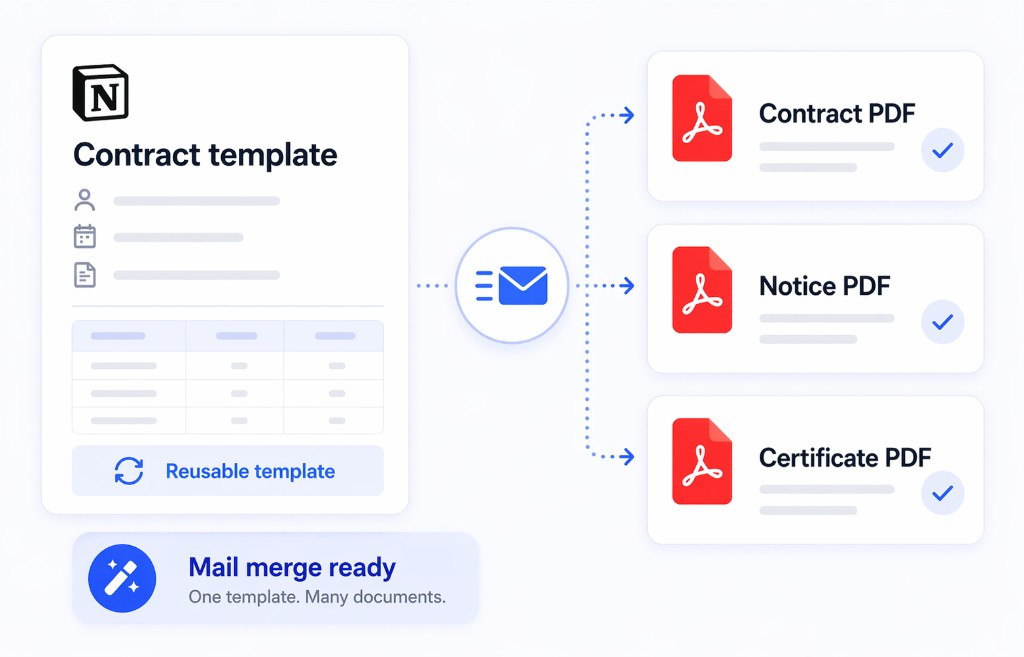
Generate multiple PDFs from one Notion template with mail merge

When a contract, notice, certificate, or statement follows the same structure, one Notion template can generate multiple PDFs without repetitive copy-paste work.

  • Useful for contracts, notices, certificates, and recurring ops documents
  • Generate multiple PDFs from one template and data source
  • Reduce repetitive editing when volume starts to scale
One Notion template generating multiple ready PDF files with mail merge

Compare the options

The strongest case for Print Notion is that it helps teams create clean, secure, repeatable PDFs from Notion in one workflow.

Capability
Print Notion
Notion native export
Online PDF tools
No upload required
Built into the browser workflow
Not the core workflow
Requires public sharing link, exposes pages to internet users
Send a PDF without fixing layout by hand
Built to reduce cleanup before sending
Often needs manual cleanup
Varies by tool and output engine
Generate multiple PDFs from one Notion template
Yes
No
Rare or inconsistent
Useful for invoices, contracts, HR letters, and statements
Yes
Basic export use
Often generic rather than Notion-specific
Works in Chrome and Edge
Yes
Browser-dependent
Varies by tool

What users say after switching

The strongest proof is what happens after teams use Print Notion to create clean, secure, repeatable PDFs from Notion.

From public Chrome Web Store reviews. Source: Print Notion reviews.

Chrome Web Store

"This extension is so helpful. I honestly can not believe Notion doesn't make printing our Notion pages as easy as this extension makes it."

Danny Brown

Chrome Web Store review, Dec 20, 2023

Chrome Web Store

"Works fine, thank you. Much neater prints then a print screen."

Magdalena Kauz

Chrome Web Store review, Sep 26, 2023

Chrome Web Store

"simple yet elegant"

Aron Bijl, MSc.

Chrome Web Store review, Dec 18, 2023

Start free, upgrade when repeated documents become part of the workflow

Install first, test the PDF output on your own Notion page, and only think about upgrading when one template needs to generate multiple PDFs.

Free
$0

Best for testing clean PDF output on your own Notion pages before you commit.

  • Unlimited Notion page printing
  • Test the PDF output on your real pages
  • No upload required in the browser workflow
  • Mail merge preview with 3 sample rows
  • Exports include a free-plan watermark
Install Free

Explore workflow examples

If you want a deeper use-case walkthrough, these pages show how teams apply clean, secure, repeatable PDF workflows to specific Notion use cases.

Finance

Generate invoices, statements, and billing PDFs from Notion without using an upload-first workflow.

See Finance Example
HR

Create offer letters, employee documents, and people-ops PDFs without fixing layout by hand.

See HR Example
Operations / Legal

Export contracts, SOPs, and recurring operational documents from one Notion template.

See Ops / Legal Example

Questions before you install Print Notion

These are the common questions teams ask before using a Chrome extension to turn Notion pages into clean PDFs for invoices, contracts, HR letters, and statements.

Print Notion is designed for teams that do not want an upload-first Notion to PDF workflow. The core PDF export flow runs in the browser, which is useful for confidential documents such as invoices, contracts, HR letters, and statements.
No. Print Notion is built around a browser workflow with no upload required for the core Notion to PDF export flow.
Yes. If you can open the shared Notion page in the browser, you can use Print Notion to export that page to PDF. The exact result still depends on how the shared page is structured in Notion.
Yes. Print Notion supports mail merge, so one Notion template can generate multiple PDFs for repeated documents such as invoices, contracts, HR letters, and statements.
Yes. You can install the free Chrome extension, test PDF output on your own Notion pages, and upgrade only when you need more repeated document generation or mail merge volume.
Yes. Print Notion works in Chrome and Microsoft Edge, so teams can use the same Notion to PDF workflow across both browsers.
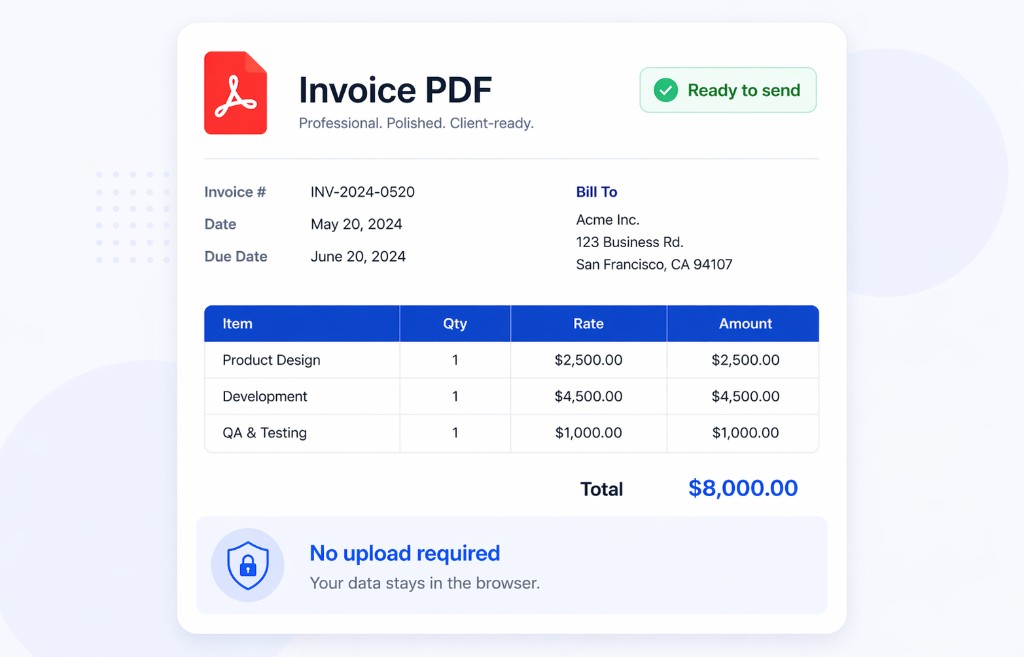
Client-ready PDF result exported from a Notion page with Print Notion

Install free and export your first Notion page in minutes

Test it on your own page. No upload required. Useful for invoices, contracts, HR letters, and statements you want to turn into clean PDFs before upgrading.